Table of Contents
MiniDisc Labels
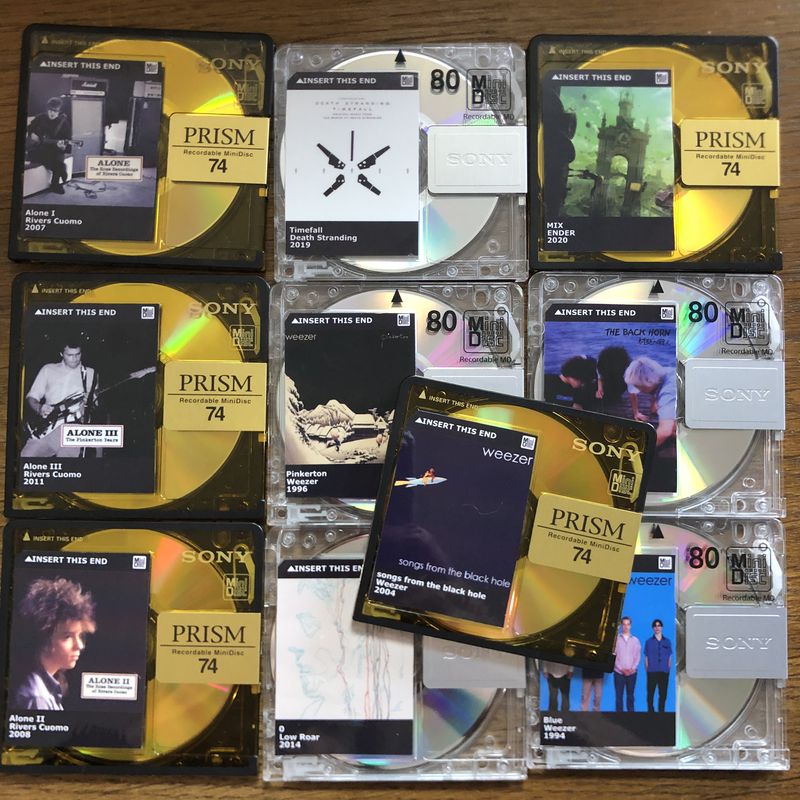
While new MiniDiscs do ship with label stickers (which work really well with frixion pens by the way), many people want to make custom labels for their discs. There are a few ways to do this.
Sticker Paper
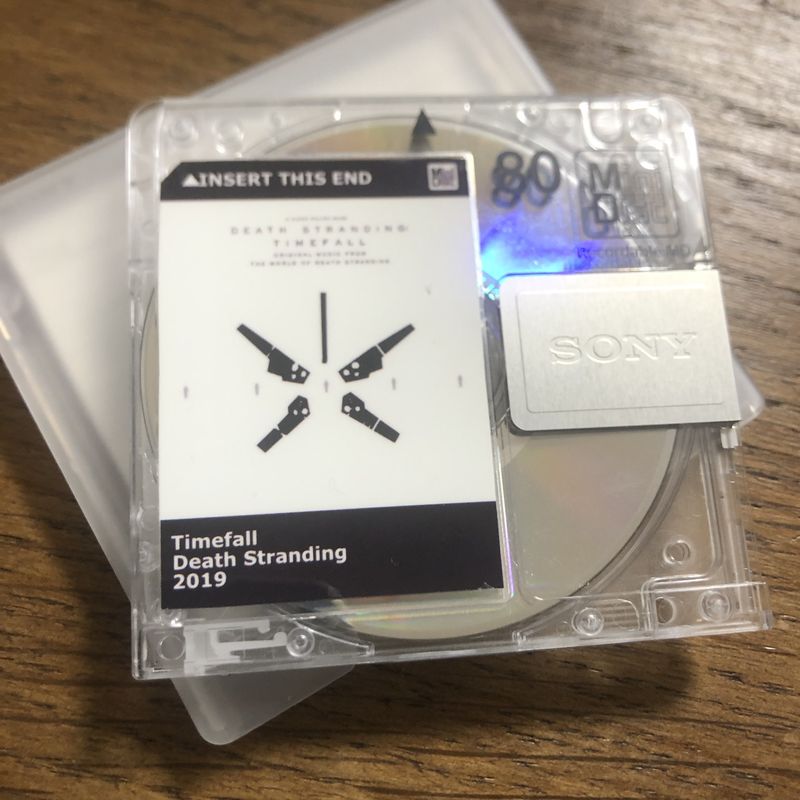
The first way is by using generic sticker paper. Disc labels can be generated using the MiniDisc label generator [*] website, or by editing the Inkscape template. [*] This template is based off the one from /u/DaveMitHut [*] from his reddit post. [*]
![Inkscape template. [*]](https://resources.minidisc.wiki/labels/MinidiscLabels.svg)
If you'd like to set up multiple (1, 2, 4 or 6) labels on a single page with trim marks and bleed, you can import the labels from the MiniDisc label generator [*]into the MiniDisc Labels [*] layout tool from Kai
For MiniDisc's 10th Anniversary (c. 2002), Sony produced a simple label generator with selectable colors, fonts and label designs.
Once printed, simply cut to shape and apply.
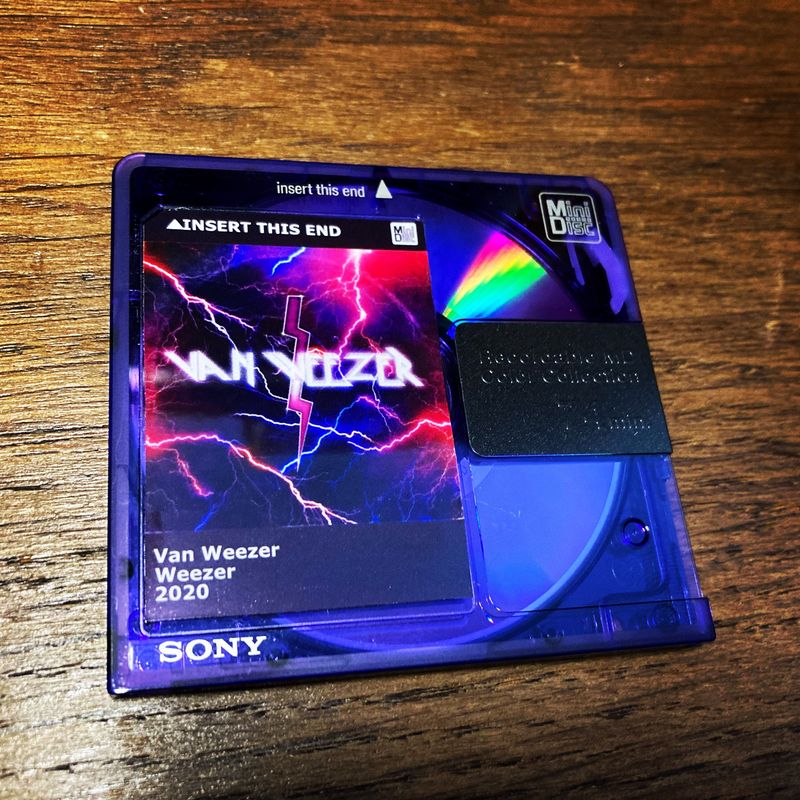
The paper used in the above examples is two part water proof paper purchased in Japan [*].
Alternatives
If you do not want to use sticker paper normal paper and a Glue stick also work well. Use ones that are not colored to prevent discoloring the label. The glue dissolves easily as it is usually used to glue paper sheets into books or for other arts and crafts.
Thermal label printers
Thermal label printers are widely available, relatively cheap and can print labels very quickly, without the need for ink. The biggest downside is that most of them is only monochrome (black and white) printing is possible. If you're going to buy a printer, ensure that your printer and label types match (e.g. direct thermal printer with direct thermal labels) before ordering.
There are also a model called Brother VC-500W which can print nice labels in colour. The CZ1005 is the recommended 50mm roll for this one.
For the front label, a 52mm x 38mm label is a commonly-available size and is only slightly larger than the standard MiniDisc label size.
For the narrow index/spine label placed on the side of the MiniDisc, Brother TZe-N201 Labelling Tape is a perfect size and can be used with a range of Brother p-touch series label printers.
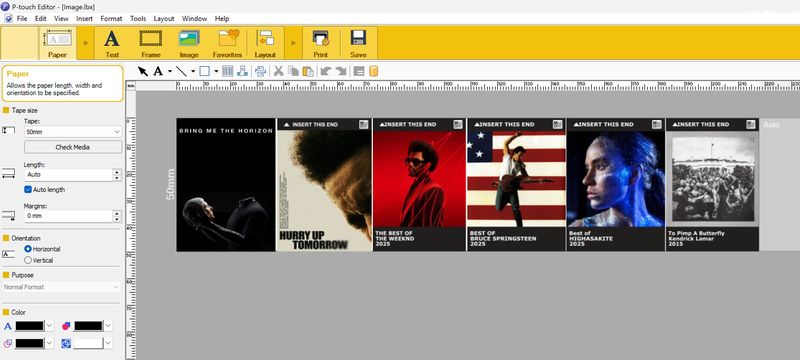
For the thermal printer a nice way to make labels is to rotate the images 90 degrees to the tape. This way it'll give you almost full height, and you can set the width yourself in the layout. It also just gives you one cut per label,
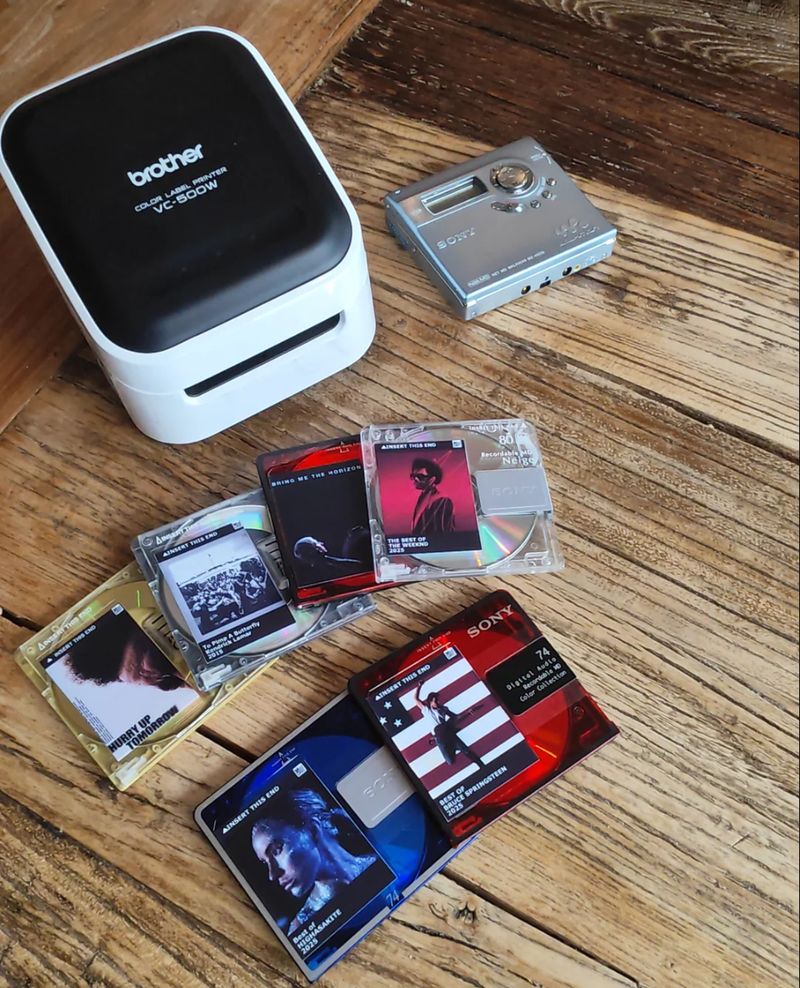
Labels made with brother software
Pre-cut Sticker Paper
Updated 12/28/24 - This user no longer appears to be actively selling these: skurtis [*] on eBay sells pre-cut minidisc labels. These look great and are already cut to size making them quite easy to use. He does not provide an editable template (just one for spacing), but we have created an inkscape editable version [*] of it. Note that this template is untested.
![inkscape editable version [*]](https://wikifiles.z5.web.core.windows.net/labels/MinidiscLabelsPretrimmed(Untested).svg)
UV Printing
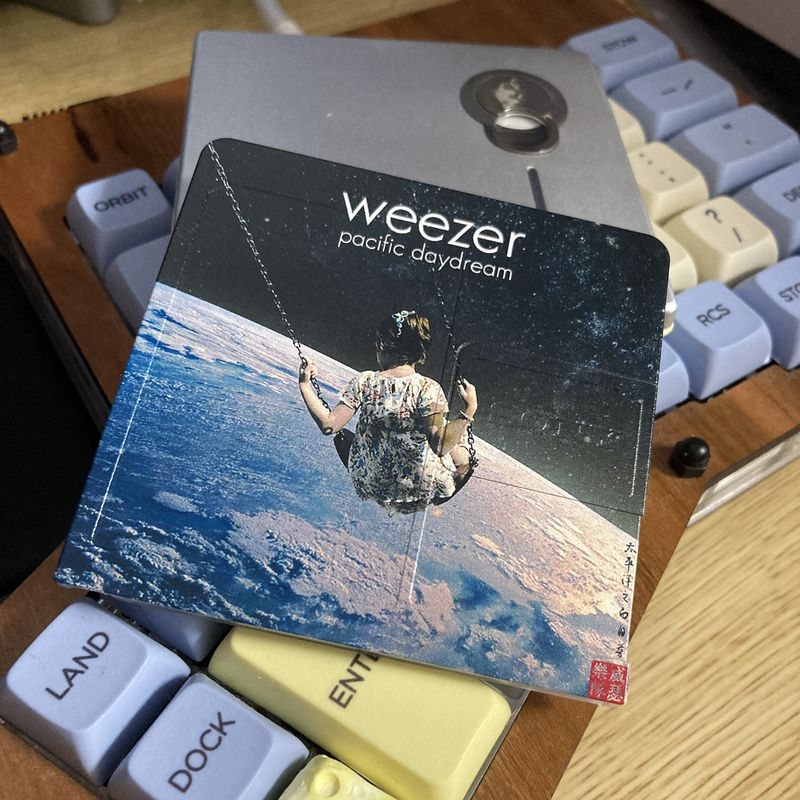
MiniDisc labels can also be UV printed. Any local UV printing service can do this for you. Users have reported good experiences with BluishSquirrel [*] or MiniDisc Today [*]. Below is a comparison between a UV printed disc and a normal sticker label disc.
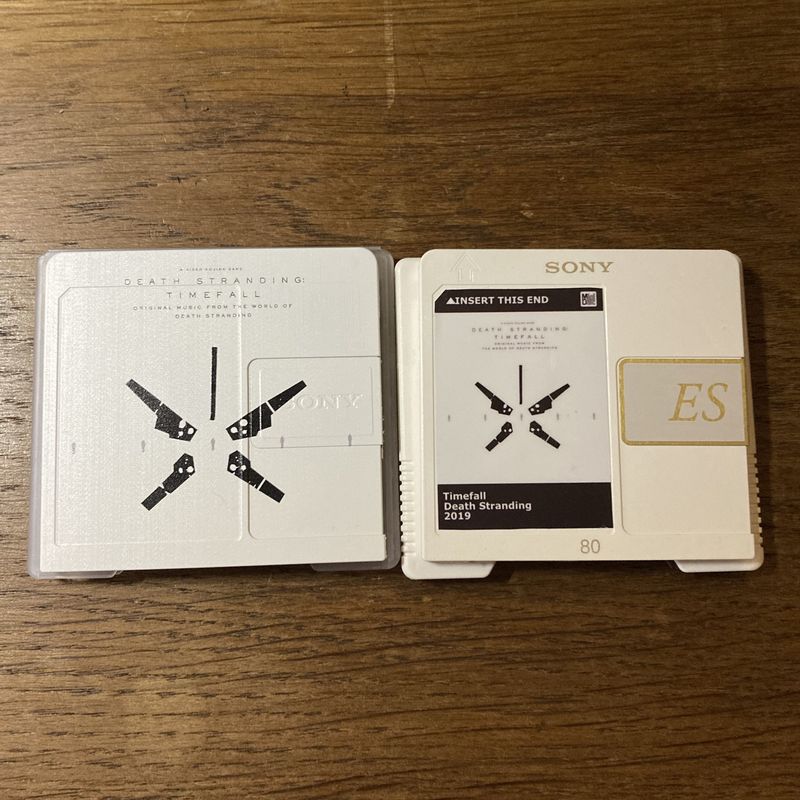
Note that while BandCDs [*] does bulk printing for band releases, they do not offer single prints for consumers.
Label Templates for CorelDraw and Adobe Illustrator
Label templates for editing and printing using CorelDraw (versions 11, X5 and later) and Adobe Illustrator (versions 7, CS3 and later) are available from https://tinyurl.com/3v7nd25b [*]. Note: There is no need to login to Dropbox - just click “Or Continue with Download Only” for your selected file(s).
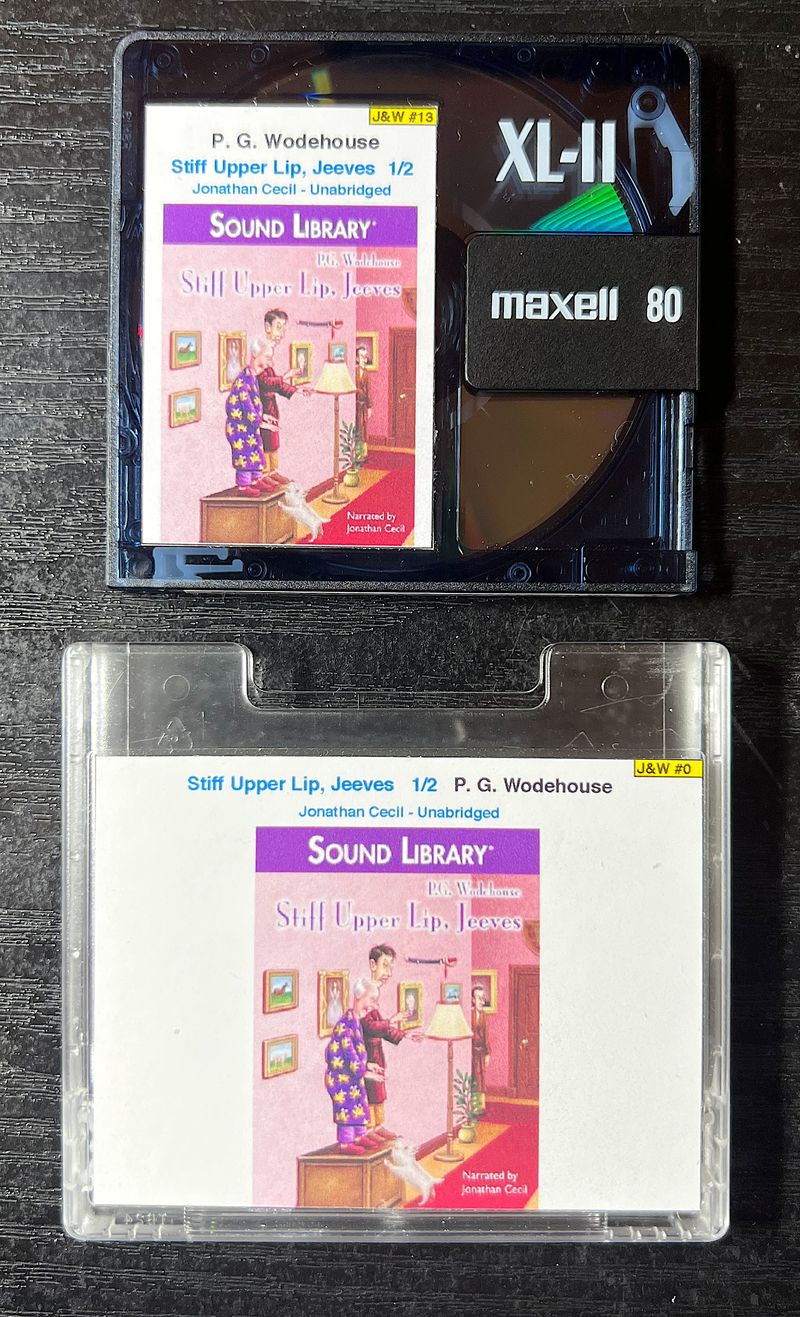
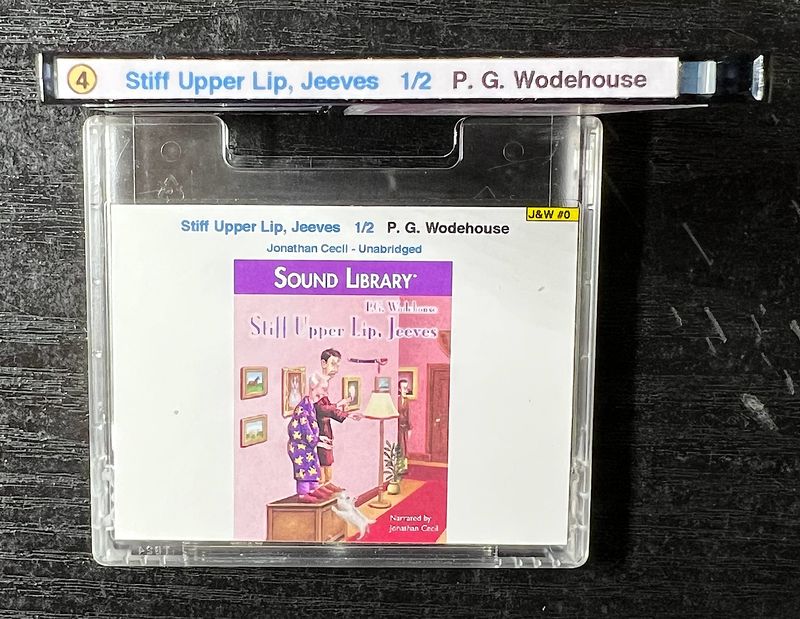
To generate your own labels, download the relevant file, edit/resize the text and delete the supplied image to replace with your own. For the MiniDisc spine label, 3 small circular logos are provided: S = Standard Play, 2 = LP2, 4 = LP4. Move whichever is appropriate into place. The medium-sized label is for the disc front. The large label is for the slip case.
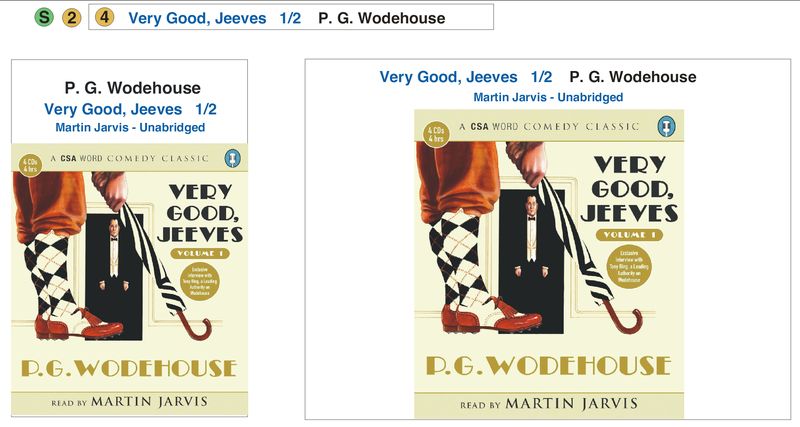
The templates (4 per sheet) are for A4 portrait paper. When printing, ensure you select 100% for the scale. Matt Photo paper (120-140g) is recommended. The labels can be applied using a glue-stick, which is excellent for adhesion but difficult to remove once in place.
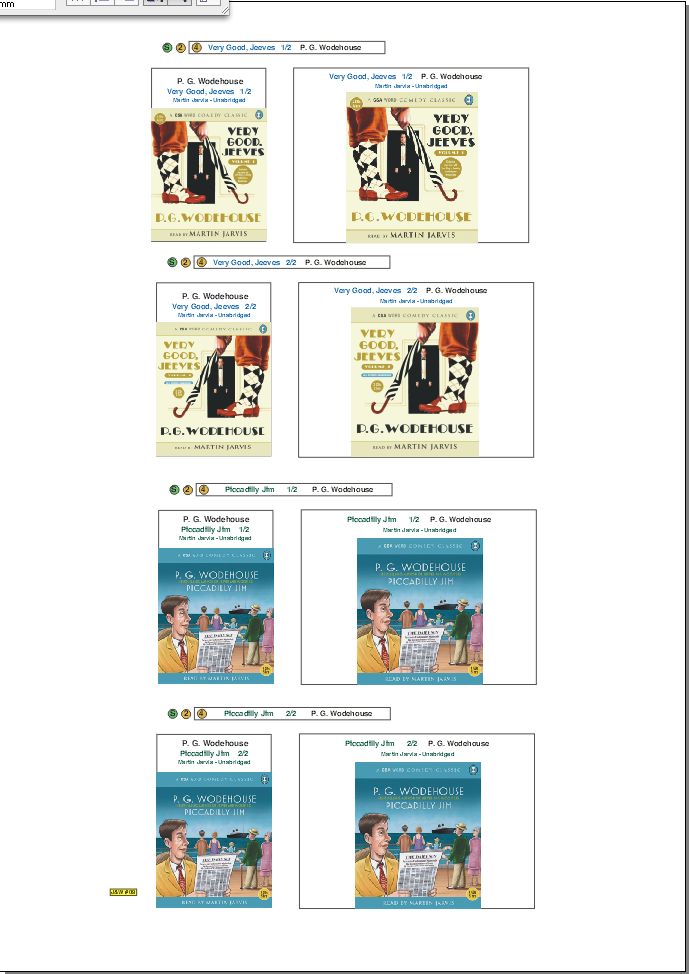
Templates available:
- MDLabels_AIv7.ai : for Adobe Illustrator version 7 or above
- MDLabels_AIvCS3.ai : for Adobe Illustrator Creative Suite 3 (CS3) or above
- MDLabels_CDv11.cdr : for CorelDraw version 11 or above
- MDLabels_CDX5.cdr : for CorelDraw X5 or above
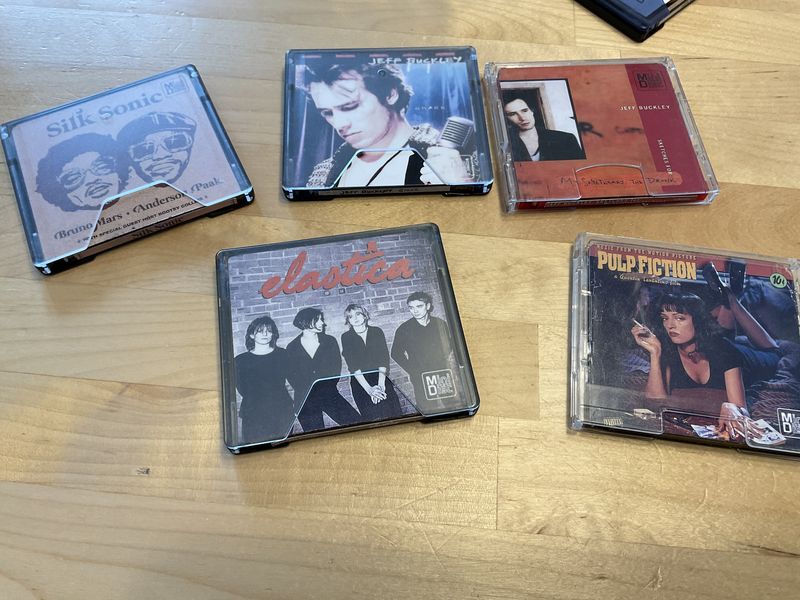
Below: Examples of completed labels.